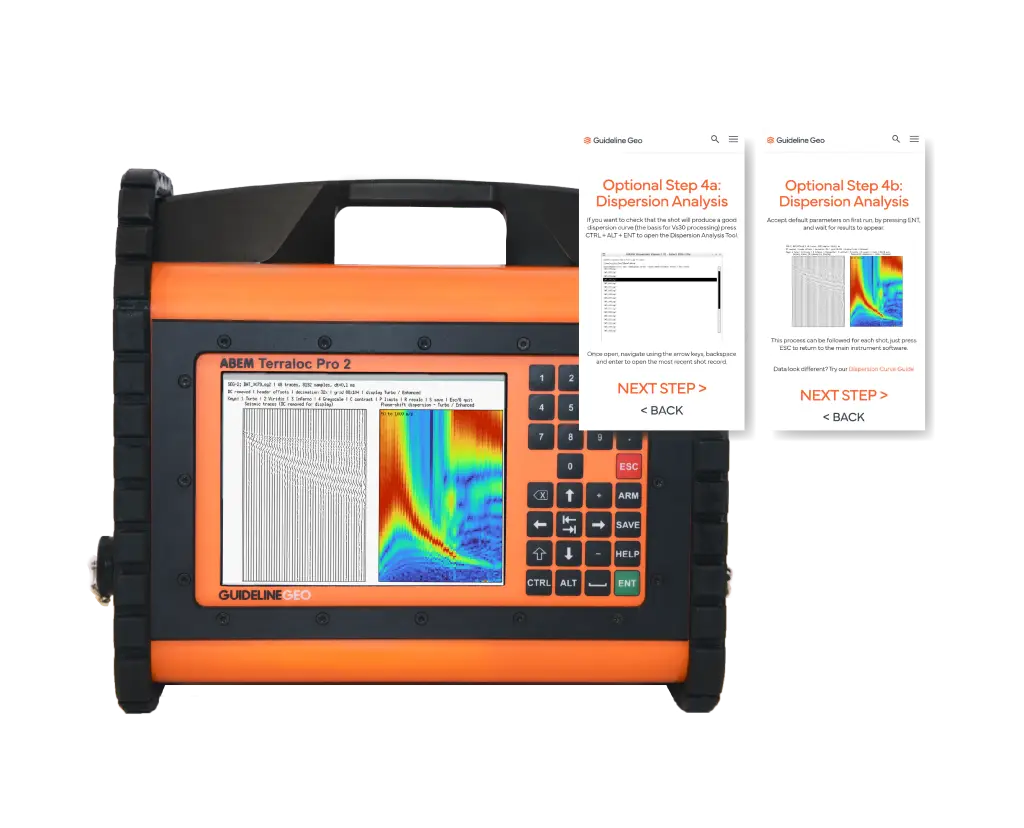
The Terraloc Pro 2 and Vs30 WebApp have been updated with a new feature that makes it easier to check the quality of your surface wave data. You can now create a dispersion curve directly on the Terraloc Pro 2 for each shot record.
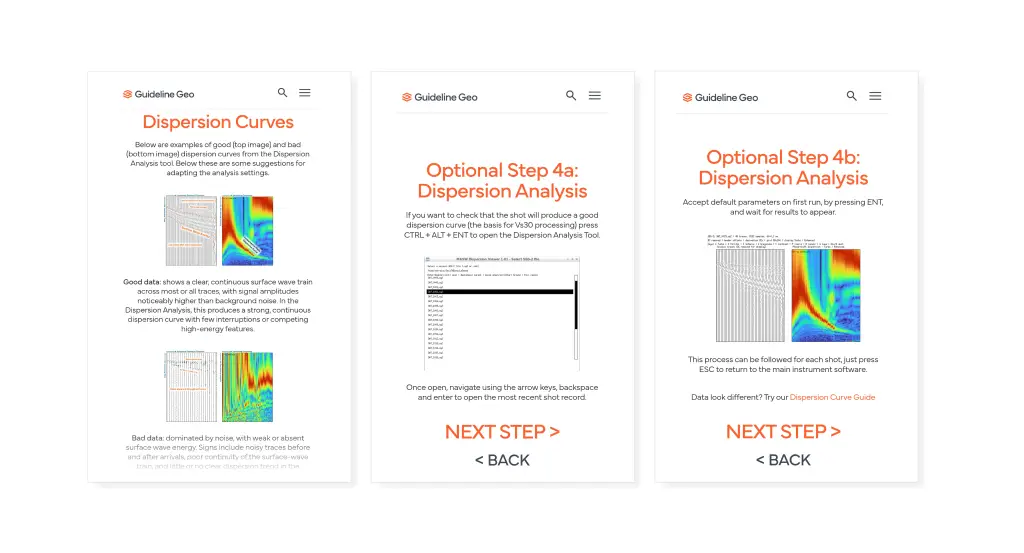
This gives you a quick way to verify the quality of your surface wave data and assess its potential for producing a reliable velocity model and Vs30 value. A clear, well-defined dispersion curve indicates that the data are suitable for further analysis. The Vs30 WebApp provides instructions on how to generate a dispersion curve as well as examples of what a good curve should look like.
Access the Vs30 WebApp from the QR code on the Wizard Mode of the Terraloc Pro 2 instrument.
Using the new feature is simple: Use a key shortcut on the front panel of the Terraloc Pro 2 to access the dispersion curve generator, pick a shot record and run the analysis. The dispersion curve will appear on the instrument screen within seconds.
The dispersion curve generator is included in the Terraloc instrument software v3.0.16.0 and later.
For more information, contact [email protected]
Learn more about ABEM Terraloc Pro 2